

Edit With Intention: A Story-Like Gallery Guide
- Cienna So
- Nov 2, 2025
- 5 min read
Updated: Dec 2, 2025
You’re not here to dump images. You’re here to build a gallery that tells a story. If you’re reading this, you want your work and client galleries to feel intentional and documentary, guided by a simple system you can repeat each session. I’ll share the Lightroom workflow I rely on and the simple tweaks that make a gallery feel like stills from a movie. ★
Anchor the Look
So, you’ve culled the photos you love and imported them into Lightroom. Instead of jumping in without a workflow, stop for a second.
Before you start editing, make step one simple, set an anchor photo. That single frame keeps the gallery consistent.
What Is an Anchor Photo?
An anchor photo is the one frame you edit first to set the look. Think of it like a color swatch for the whole gallery. Skin looks natural, light is steady, nothing distracting. You dial this in, keep it open while you work, then bring the rest in line with it.
Keep the Anchor in View
Use Reference View while you edit, compare back to the anchor so skin, neutrals, and contrast stay aligned. Tiny checks now save you later.
Lock a True to Color Base Preset
Apply the Natural Pack, set exposure and white balance to real life, fix the horizon, lift blacks slightly if you want softer rolloff.
Calm base first, style later.
Sync by Section
Documentary galleries need movement and variety. Because of this, a lot of photographers struggle to keep things consistent. Here’s my trick.
I edit in sections. A section is a small set of frames shot in the same light, with the same backdrop, or during one simple action.
Anchor first, base everywhere. Then edit by section. Pick a leader frame in that light, match it to the main anchor. Once that section anchor is consistent with your main anchor sync those setting across the section.
Here's an example of different sections from one session. Section A and Section B look different, not because of the preset base but because of the lighting change.
Section A

When you follow my trick and sync your setting adjustments by section you will create more consistent galleries.
Section B

Each of these sections has the same base preset from the Natural Pack applied. When editing this section we will adjust basic settings to match the main anchor photo.
Main Anchor Photo (Edited with the Natural Pack)

The Gallery Blueprint
One Frame, Many Looks
Once your sections are consistent, turn one strong frame into a few filler photos your clients will love. Save the final edit, then create 2 or 3 virtual copies. Those copies become the extra images that add rhythm and depth to the gallery.

Super Crops With Purpose
Use virtual copies to crop tight on details that carry emotion. Think hands, eyes, and fabric. Leave a little breathing room so the moment doesn’t feel cramped.
Ask Me To Crop Yours ★
Want help turning one frame into a story moment? Post your OG final edit in the Jaide & Jett Lightroom Presets + Education group with Super Crop Request at the top. I’ll reply with two or three intentional super crops and a quick why, so you can see exactly how I’d add emotion and flow.
Super crop example ★

Black and White Moments
When color distracts, convert one copy to black and white. Use it as a calm pause between color sections.
With the OG edit, one super crop, and a black and white, you just turned one frame into three. Context, detail, quiet beat. More story from the same moment.

Organize your Gallery with Purpose
Don’t dump and send. Arrange the gallery with intention so the first glance gets a real WOW.
The Gallery Blueprint: Question Guide ★
What this is
A simple set of questions to keep next to Lightroom. It helps you organize a gallery with intention so the first glance lands and the story feels clear.
How to use it
Open this after you cull and lock your base. Keep your anchor photo visible. As you order the gallery, ask yourself these questions. If you hit a no, adjust before you move on.
Story and Intent
What is the one-line story of this session?
What emotion should the first six images deliver?
Which three moments must be in the first scroll?
Super Crops
Does this crop add something new or is it a duplicate idea?
Is the horizon straight and the crop not cutting through joints?
Do I have breathing room around the subject?
Order and Flow
Does the sequence read scene, then detail, then breathe?
Am I stacking too many tight crops in a row?
Do the copies move the story forward?
Cover and Closer
What image sets the mood with confidence?
What frame feels like the last line?
Final Pass
Does the gallery feel like one edit, not a collection of looks?
Why This Flow = More Sales
A story-like gallery with smart variations does more than look good. It sells. When clients feel a scene, then see a close detail, then a quiet black and white, they fall in love with multiple frames of the same moment. That emotion turns into album spreads, print sets, and package upgrades without you having to push.
How variations convert
Triptychs print themselves
OG full frame, a super crop, and a black and white make a perfect three-panel spread or wall trio.
Albums fill fast
One scene can cover two to three pages when you pair the wide with its details.
More favorites than the package
Clients flag extra images they cannot leave behind, which makes upgrades feel obvious.
Social-ready sets
Give them a carousel sequence that feels intentional. When they post, they sell you.
My average delivery
Mini sessions, about 40 images
One hour sessions, about 75 images
Profit Ready Galleries 1 on 1 ★
If you want galleries that sell themselves and pricing that pays you well, book a focused 1 on 1 with me. We will audit a full gallery together, tune the flow for story and upsell, then rebuild your offer and pricing so profit is baked in.
Have questions? Want a second set of eyes on your sequence? Post in Jaide & Jett Lightroom Presets + Education and tag it Gallery Blueprint. I’ll leave notes on flow and crops. ★

One Base, Many Moods
Mixing Styles, Done Right
Yes, you can send a gallery with different styles. It works when the base is consistent. Lock a true to color foundation first, then add a few film inspired moments as accents. If your anchor holds and your base stays steady, the gallery still reads as one look.
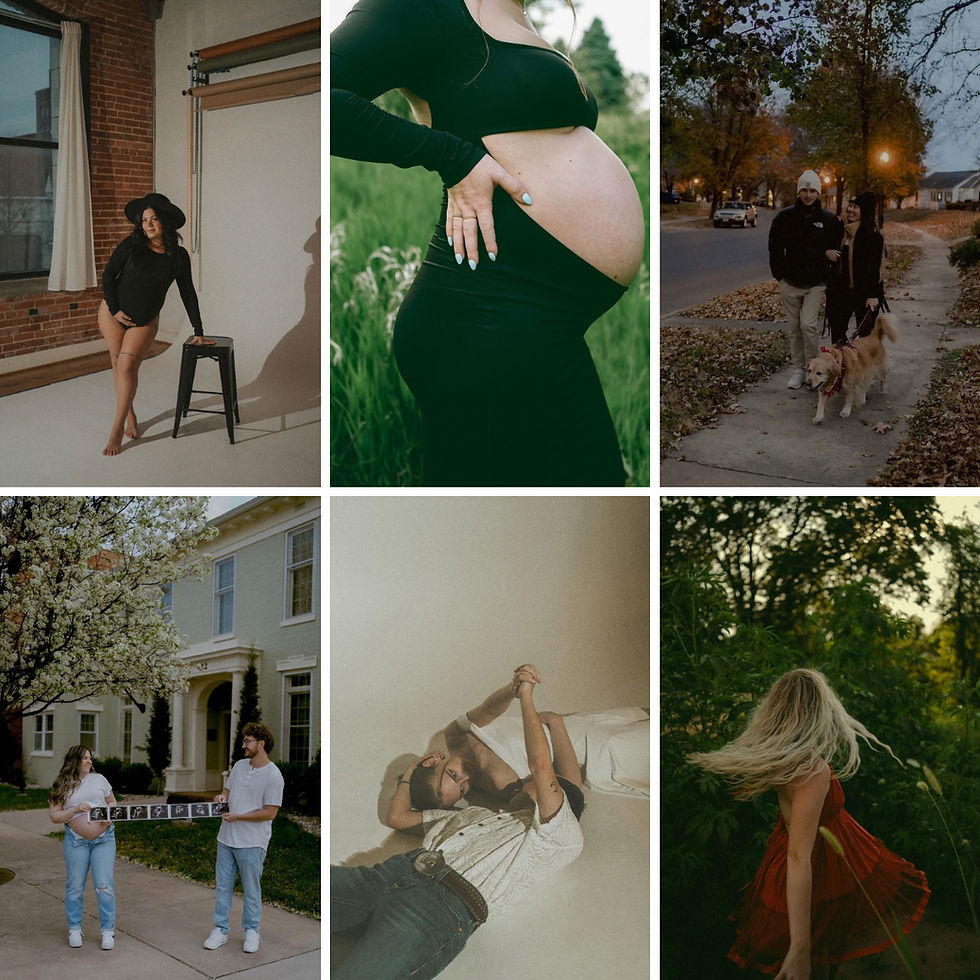
This is why the Natural Pack matters. One base across the set, artistic kits and finishes on top when you want mood, black and white when shape and light say more than color. The style shifts feel intentional, not random.
Ask Me Anything
Have a question about crops, order, anchors, or the Amount slider, ask me in the group. Post in Jaide & Jett Lightroom Presets + Education and I will leave fast, practical notes you can use on your next gallery.






Comments